

Dear Casey, A Walk Down FileMaker Memory Lane…
/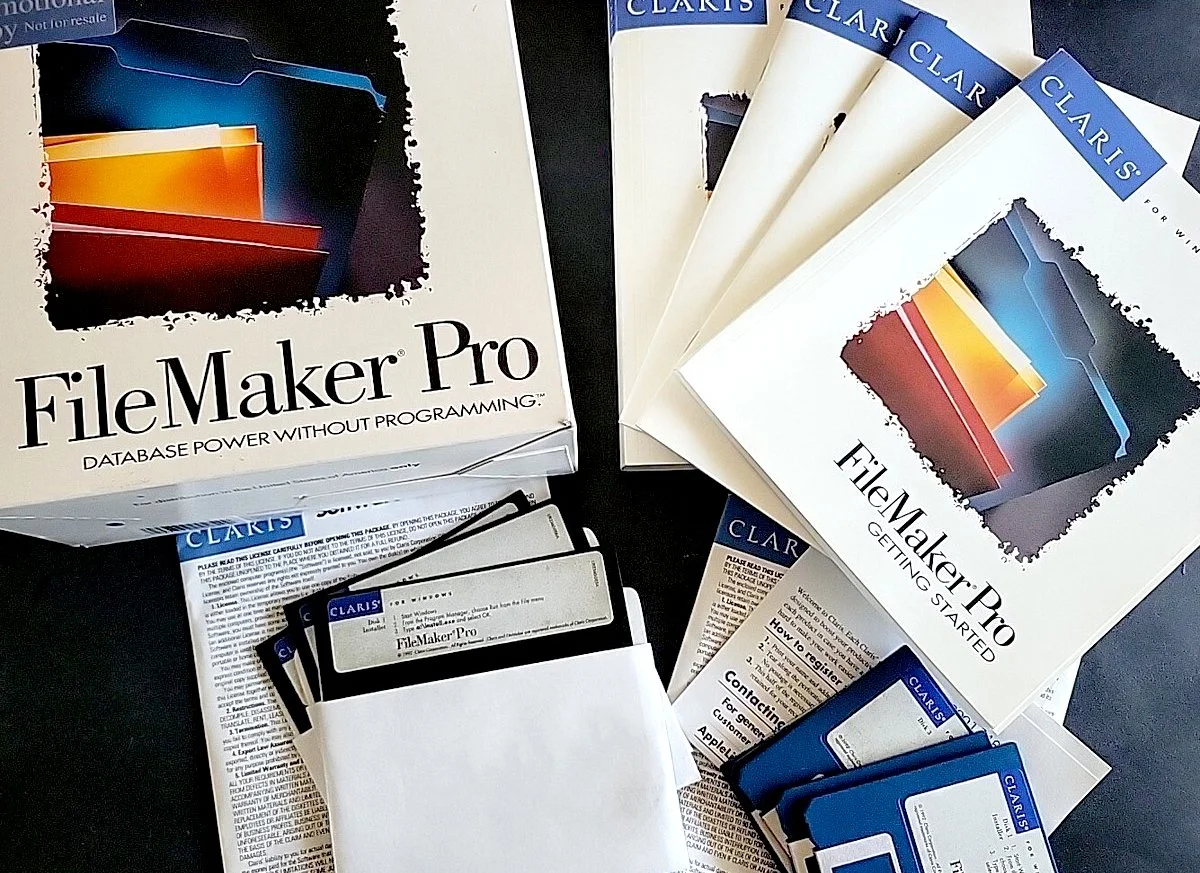
Filemaker Pro Software from the 1990’s. How I remember that logo well. Own a piece of history, this image comes from an ebay auction. https://www.ebay.com/itm/389804828618
Casey Liss asked “What is FileMaker?” on the Accidental Tech Podcast, Episode 700. Since I grew up in the FileMaker era and was immersed in that world, I couldn’t resist answering his question and reminiscing about the old days. The following is what I wrote to Casey [the guys responded to my email on episode 701]. For the screen shots, scroll to the end of the post.
Dear Casey,
FileMaker is indeed still a thing for those who use it and really think they need it, including me! You asked what FileMaker is, and that is best defined by remembering that this software was created long ago, in the early 80’s, when people were all excited by VisiCalc bringing the power of spreadsheets to home computers. FileMaker was meant to be a “real database” for small businesses and families alike. In 1983, it was originally named Nutshell and was a DOS exclusive app. In 1985, Forethought Inc., the developer shifted to a Mac app and it took off! Apple bought the platform in 1988 as a part of one of their many dubious “business focused” phases.
FileMaker was meant to be an easy yet scalable entrance into the database and application development world for the average user, while having enough power to become a complex business information system for the more sophisticated developers. For many years there was a vibrant community of developers making some pretty sophisticated software. I worked with a number of talented people solving complex business problems for my customers during the height of FileMaker’s popularity in the 90s. Many of them graduated on to other platforms as the marketplace changed. For instance, one of my favorite developers moved on to web development.
FileMaker could be a simple database, with a friendly user interface, for someone’s recipe collection and similar needs (I used it for my CD collection at the time). [Yet another recipe collection trope - they used to advertise that as a feature to the everyday buyer - so funny!] FileMaker could also become a relational, multi-table, bespoke database that could run an entire business, while servicing all the needs in between. In my mind, the beauty of it was that many people who had never coded before could create solutions that solved problems in their business themselves. “Solutions” is the company’s term for their database and front-end combinations that effectively become applications.
In that era, the software’s capabilities and friendliness to the average person in my estimating is similar in result to the currently burgeoning community of every-day users using vibe-coding to create custom built apps for company specific needs. FileMaker really was a power tool for reducing the complexity of creating something powerful, which made custom software more accessible to regular users. It is hard to overstate how easy it was for someone, with no experience to learn the basic 10% of the program to create something amazing. The visual approach the software used really opened up possibilities to regular people, and the scripting was simple and powerful, which allowed the user to perform many interconnected steps to produce a fast and automated result.
It was a buzz to see something you created work the first time! I had a customer who had a team that spent 3 days a week figuring out what products needed to be manufactured in the next week. It was a stressful job and they were always under the gun. I contracted a whiz-bang developer, who was very familiar with the other 90% of the development environment and he created an integrated system in FileMaker that reduced the the time it took to make the schedule to 30 minutes a week. The first time we ran a demo, the room was silent, yet the Vice President, skeptical as always, said, “It looks promising, but can we trust it.” They ran parallel processes for a month, and each time FileMaker took about 30 minutes to calculate what needed to be made the next week, and the team took their 3+ days to come to a similar conclusion. After a month, the team embraced the software, and FileMaker reigned supreme for over a decade at that company.
For me, FileMaker Pro was the number one business tool that dominated my small-business focused Mac world in the 1990s. It was a real game changer for Mac productivity, especially when multi-table support was added. I created many tools for myself and my customers; that made me a valuable resource and created happy customers. Still today, I maintain a number of solutions that need periodic updates and maintenance to keep code running on computers with newer Mac OSes. In many cases, those solutions were created on the likes of Mac OS 6 or 7 and yet are still running today, using the same databases structure and logic. How often do you see such old code working with minimal modification the same way it did on a Mac SE 30 with a 9-inch black-and-white screen and a 68030 processor as it did later on a PowerPC, Intel, and now Apple Silicon Macs? I think that is pretty amazing!
Of course, times change, and now I only have a handful who still use the platform, but each one of them is in a very committed relationship with their FileMaker databases. In every single case of those committed users their databases were created around 30 years ago. In fact, I fall into that same category, because I still use 12 FileMaker databases, many of them every day. The includes my invoicing system. Using this solution has allowed me to avoid having to use Quickbooks, and I can say that is the gift that keeps on giving!
FileMaker can run solutions from the main application on the client or from a client server. Many of my remaining customers use a server for their staff to access the solutions. In the very old days, you could even save stand-alone fully contained solutions that functioned as Mac apps (though they were NEVER “Mac-Assed” apps). Those stand-alone applications worked like Adobe Acrobat Reader with a database attached. People who used the stand-alone solutions, called “runtimes,” often didn’t have any idea what FileMaker was and that they were using a database of that sort. In modern times, FileMaker provides similar functionality via their web apps platform.
I know it may seem like I am talking about a dead platform, because in many ways the world has moved on from FileMaker, especially for me and my small business world. The Internet, modern development of web apps, and the blossoming Mac compatible software online and on the desktop had been the catalyst of that change. However, I can’t emphasize how important FileMaker was to keeping the small sliver of the business world that loved using Macs from abandoning the platform in the dark 1990’s. FileMaker and a few other companies were the thin line that held back the rushing Windows storm that snatched so many from the fold of Mac in the early 90’s and preserved a small, vibrant community that was ready for Apple’s resurgence in 2000’s. Apple may have a similar opinion, and that might be one of the reasons Steve Jobs didn’t discontinue FileMaker when so many other technologies were on the chopping block when he became iCEO in 1997.
All that said, modern “FileMaker,” within Claris, is still trucking along and keeping up with the modern technologies. It seems that there is still a small community of users that are doing way more than I am do to maintain a dwindling legacy environment for a number of customers by creating amazing software for modern needs. I really cheer them along and hope they continue to be successful. This is a good place to see some of the great modern creations using the platform: https://www.claris.com/FileMaker/50-use-cases/ Also here is a good example of a modern developer who helps companies integrate custom solutions in to their workflow. https://luminfire.com/category/FileMaker/sample-file/FileMaker-sample-file/ and https://luminfire.com/category/all-success-stories/
You asked for some idea of what types of solutions people used with FileMaker and for some idea of what it looked like. Most in-house solutions look aesthetically like they did when they were first made, which looks horribly dated today. Commercial solutions were and are better looking, but they still have a FileMaker “look” that was easy to spot for the experienced user. Most of the historical commercial solutions were either superseded by software created on other platforms (often web based), but there were also many that just faded in to the sunset.
A good example of a successful transition to a modern platform was the photography business management system called BlinkBid https://blinkbid.com/ . Their early success was using a FileMaker runtime that they sold to customers. I had MANY photographers who used it primarily for job estimation. The software moved to a web-based platform about 15 years ago, but it was their start with FileMaker that built their customer base in the first. I still have a number of photographers who use the newer BlinkBid, today and all of them started out in the FileMaker era. One interesting story: I had one person who was referred to me recently because she was looking to have the data in her ancient FileMaker solution runtime exported. BlinkBid no longer had any of the software or computers to do that work, so she was referred to me. I was able export her data, and then she was able to use it with her current invoicing setup.
Since you requested some images of what FileMaker looks like, I have included a number in this email. All of them were taken with FileMaker 19 client (2020-2022). This is the platform used by most of my customers with legacy software, although many of them also have rights to newer versions. The reality is that for people with legacy setups, the older versions usually work just fine, and they tend to not upgrade to reduce workloads and costs until a compatibility problem occurs. None of these systems are connected to the public Internet. However, the few that I work with who do are always up to date. The Filemaker Server screen shots are from version 20 (2023-2024). All of the screen shots have been sanitized for sensitive company-specific information. The newer versions of FileMaker Client are substantially the same as the 19 version in the screen shots. In many ways, the interface has looked mostly the same since 1997 and substantially the same since 2012.
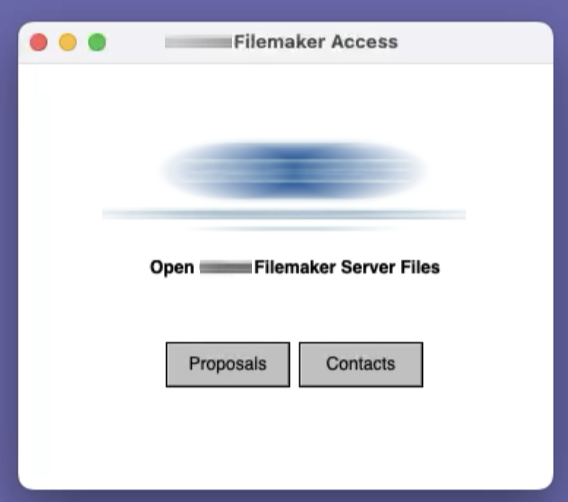
Screen Shot 1 is a typical minimalist launcher that avoids users having to use a process similar to “Connect to Server” in the Finder to find and connect to a databases. I find that users are way less confused when they just have to open a local file and push a button.

Screen Shot 2 is an example mid 1990's typical FileMaker made database that is still in use today for invoicing.
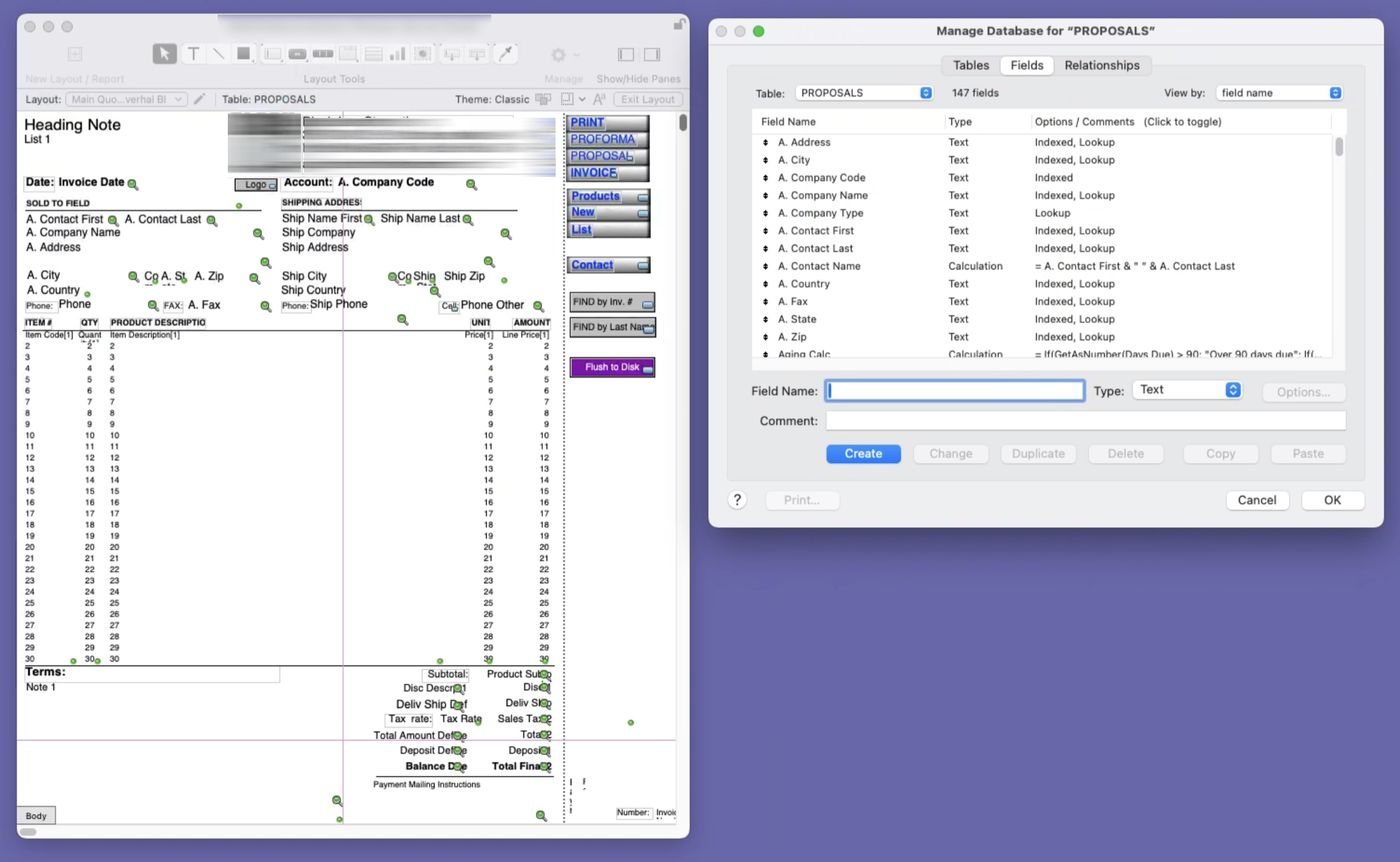
Screen Shot 3 The next is what that same database looks like in developer mode with the Tables view open. Fields can be created and moved or edited with the mouse. Action options can be added or removed, at will, with the contextual sidebars, right click, or menu operations. The Tables dialog box has been the primary access to defining and managing fields since the very early days. In my opinion, the developers did a great job making this dialog functional and powerful for burgeoning solution developers who were still vague on fully understanding tables and fields. When I see this today, it reminds me of so many good times and the success of making a tool to help someone solve a vexing problem. See the next screen shot for more modern affordances.
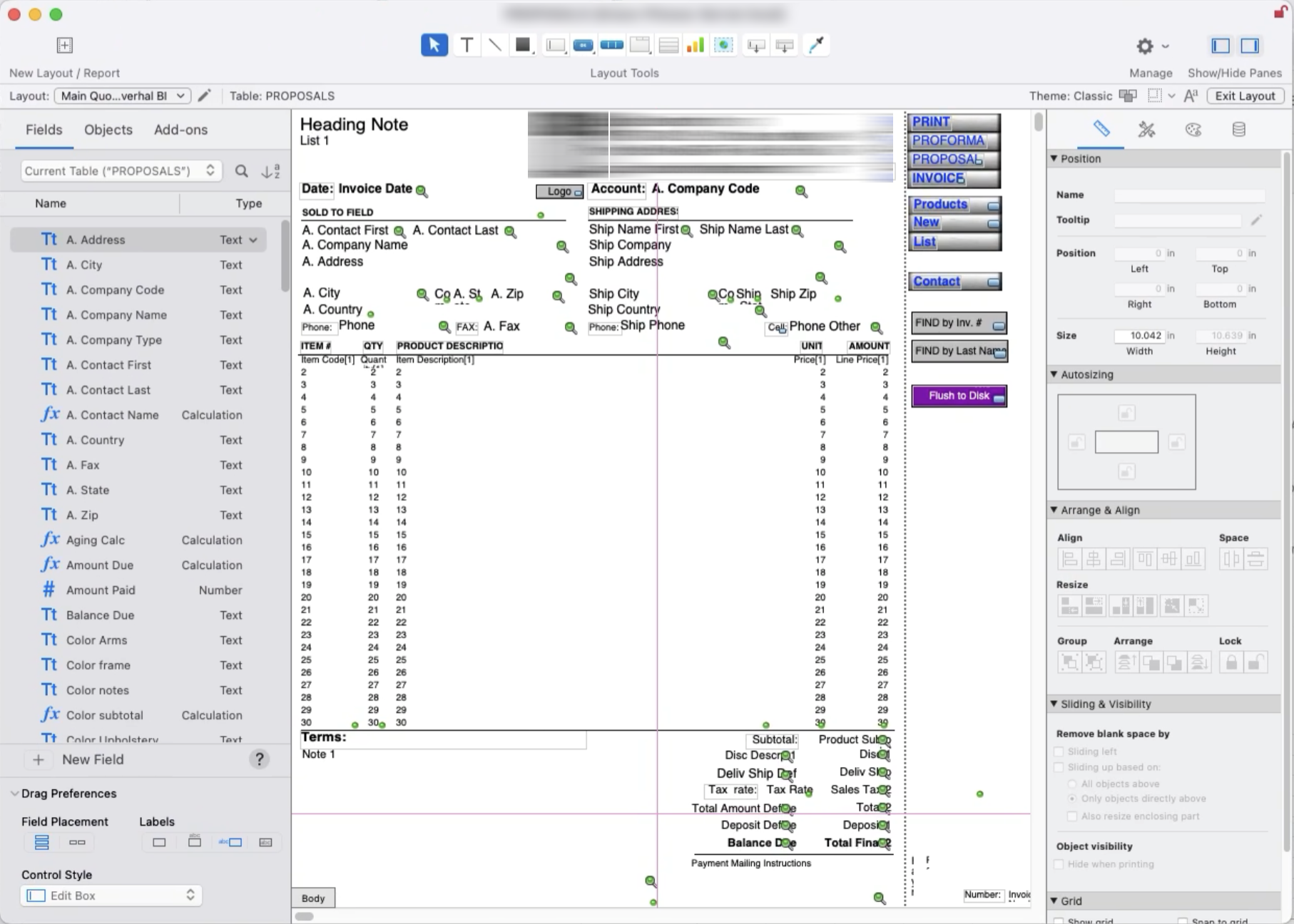
Screen Shot 4 This is what the developer mode looks like with all of the panels exposed. The toolbar and menu bar options look and operate substantially the same as they did in the late 1990’s, but both side panels are a godsend to easy access for modern development. I wish I had them in the 90’s.
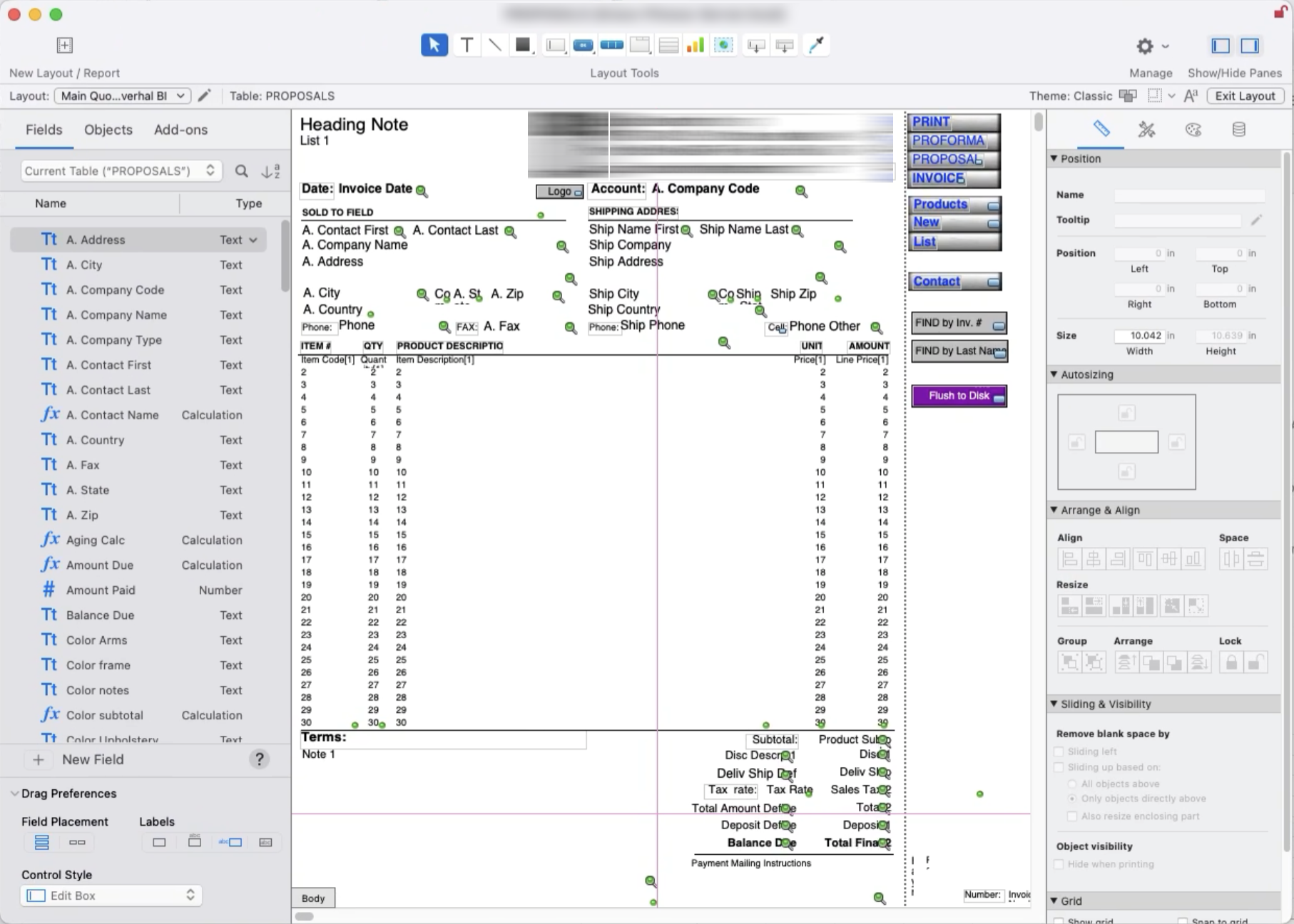
Screen Shot 5 A screen shot from the same FileMaker database that shows all of the ‘layouts” or other views in the file. Having multiple layouts allow a developer to use the same data contained in existing fields to be represented in other ways than what is shown in the example image. The most common uses for other layouts would have been report views, off page calculations, settings screens, detailed data views, and modified views to represent a varied arrangement of the same data in different views for things like orders, packing lists, and invoices.
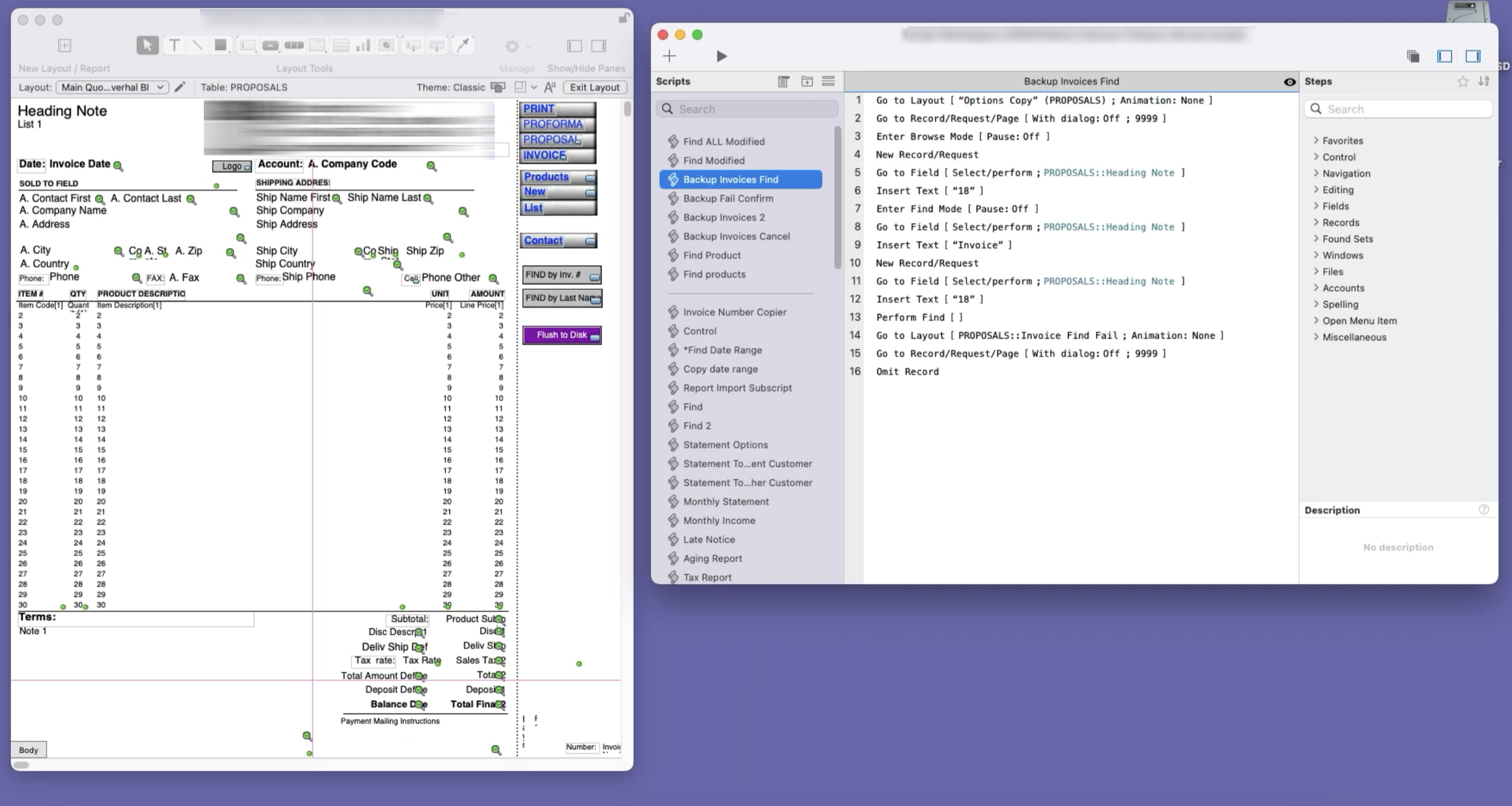
Screen Shot 6 This image shows the main FileMaker database with the very powerful Script Workspace, where all of the scripting actions were created and then applied to buttons and other controls. I spent so many hours in this dialog, making, debugging, and modifying scripts to automate so many tasks. I can still visualize making a print script to restrict what to print and in what format with special options, even though I haven’t done so for over a decade. It was fun to see something so complicated be so easy to create, and in such a short amount of time. This, along with AppleScript, we’re my first views into programming logic outside of my Basic and Methodology courses in college (the only time my IT track and the programmers track intermixed - fun times).
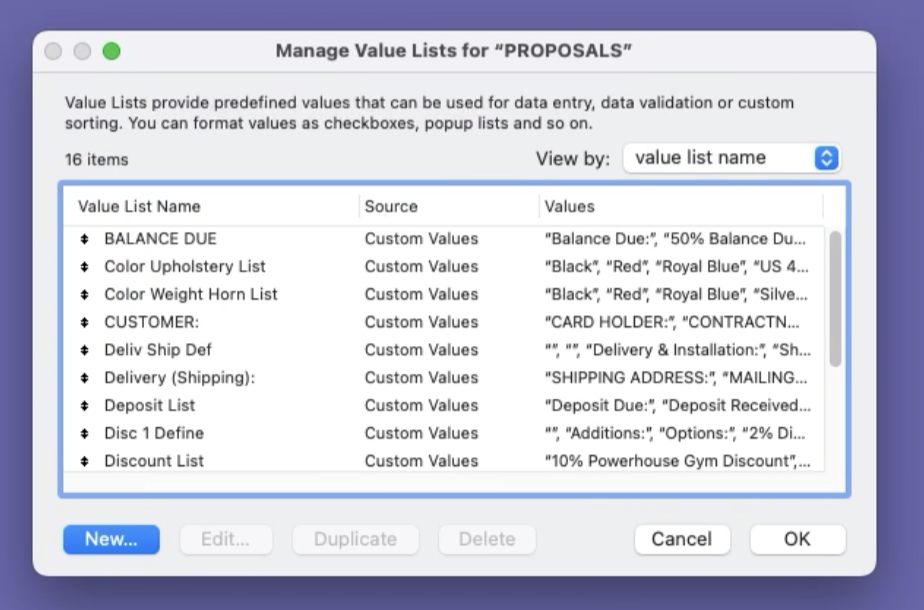
Screen Shot 7 An example of the value list editor to create and modify the lists that are a part of drop down choices primarily for fields in the database.
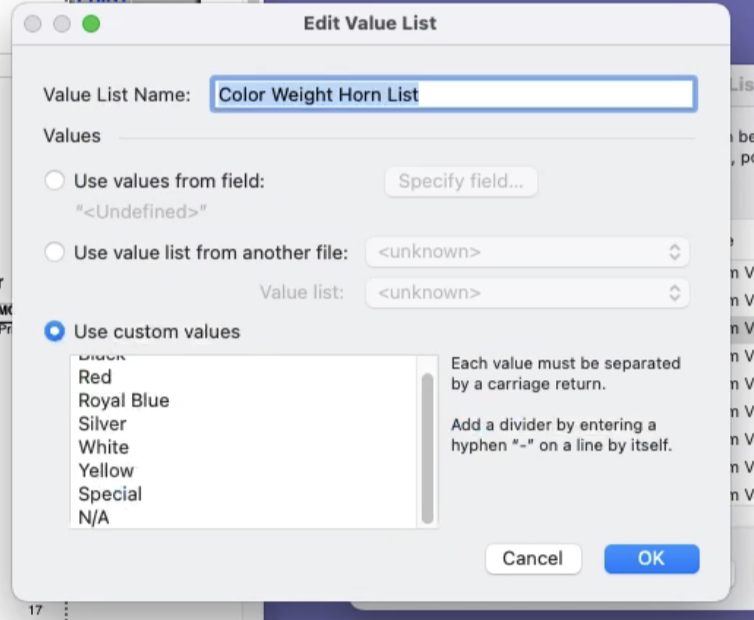
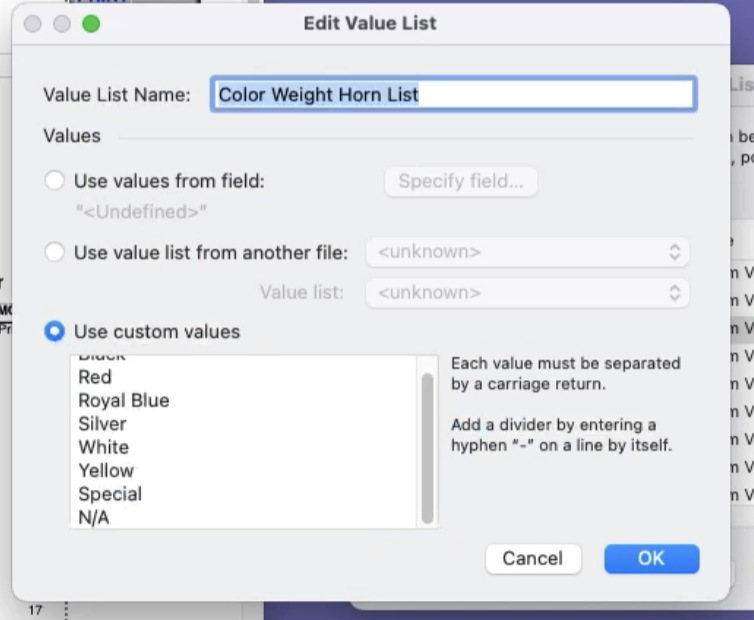
Screen Shot 8 This shows the process of editing a value list. Most of the time values are manually entered; however, the values can also come from calculated results from other fields, or even from separate databases.
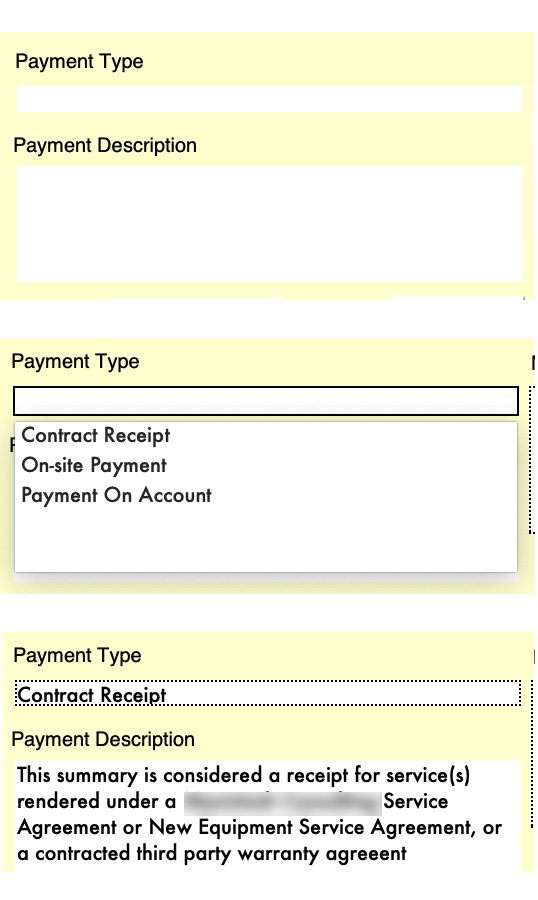
Screen Shot 9 An example of a value list in action. Choosing the desired item in the “Payment Type” field affects what text is shown in the “Payment Description” field. In this case, I also have it set up that you can’t print an invoice unless there is text in the “Payment Description” to prevent that field from being blank. The system keys off of the “Payment Type” for a number of other functions too.
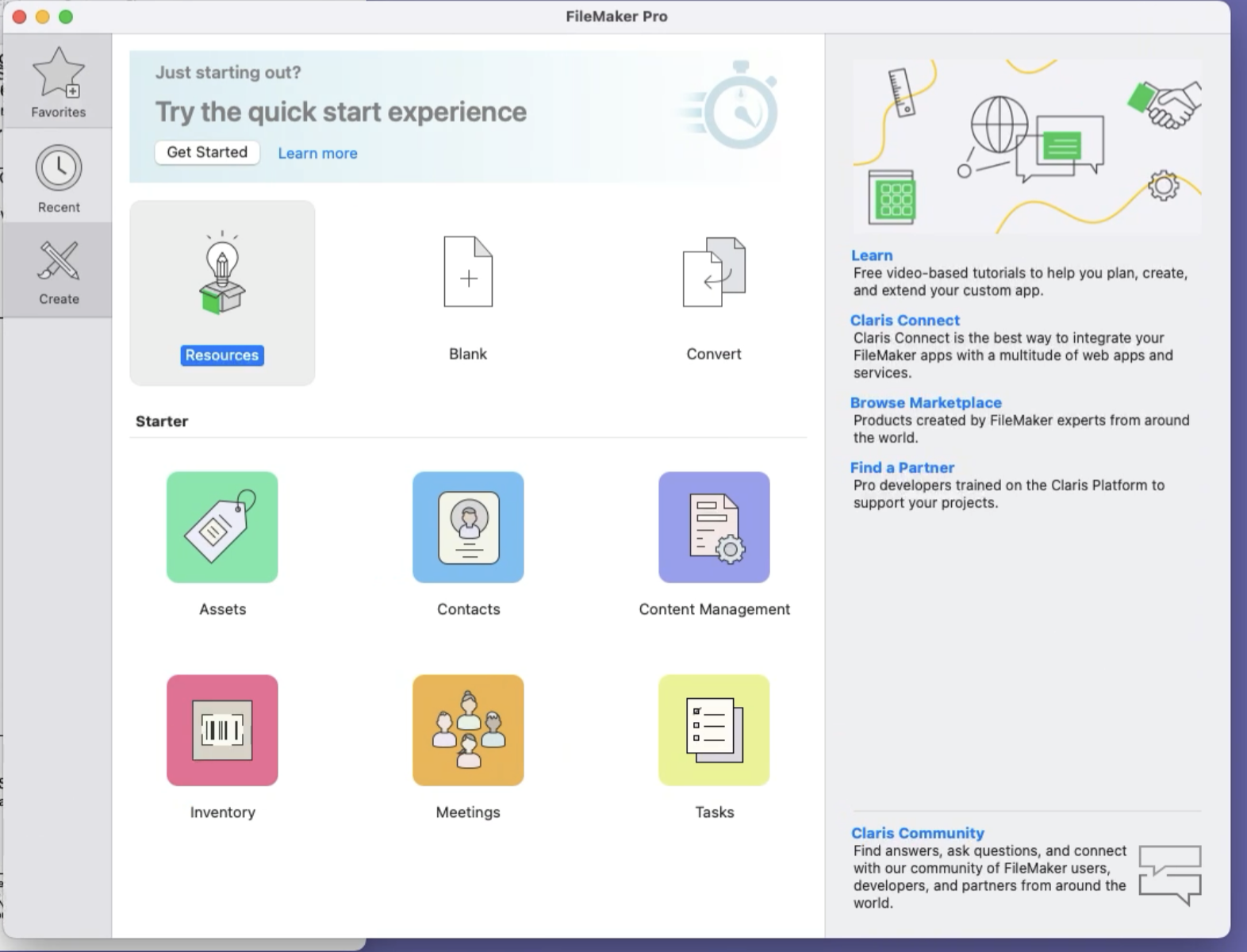
Screen Shot 10 This screen shot shows FileMaker starting up without an existing solution. This template focused window is helpful for new users to help them get started.
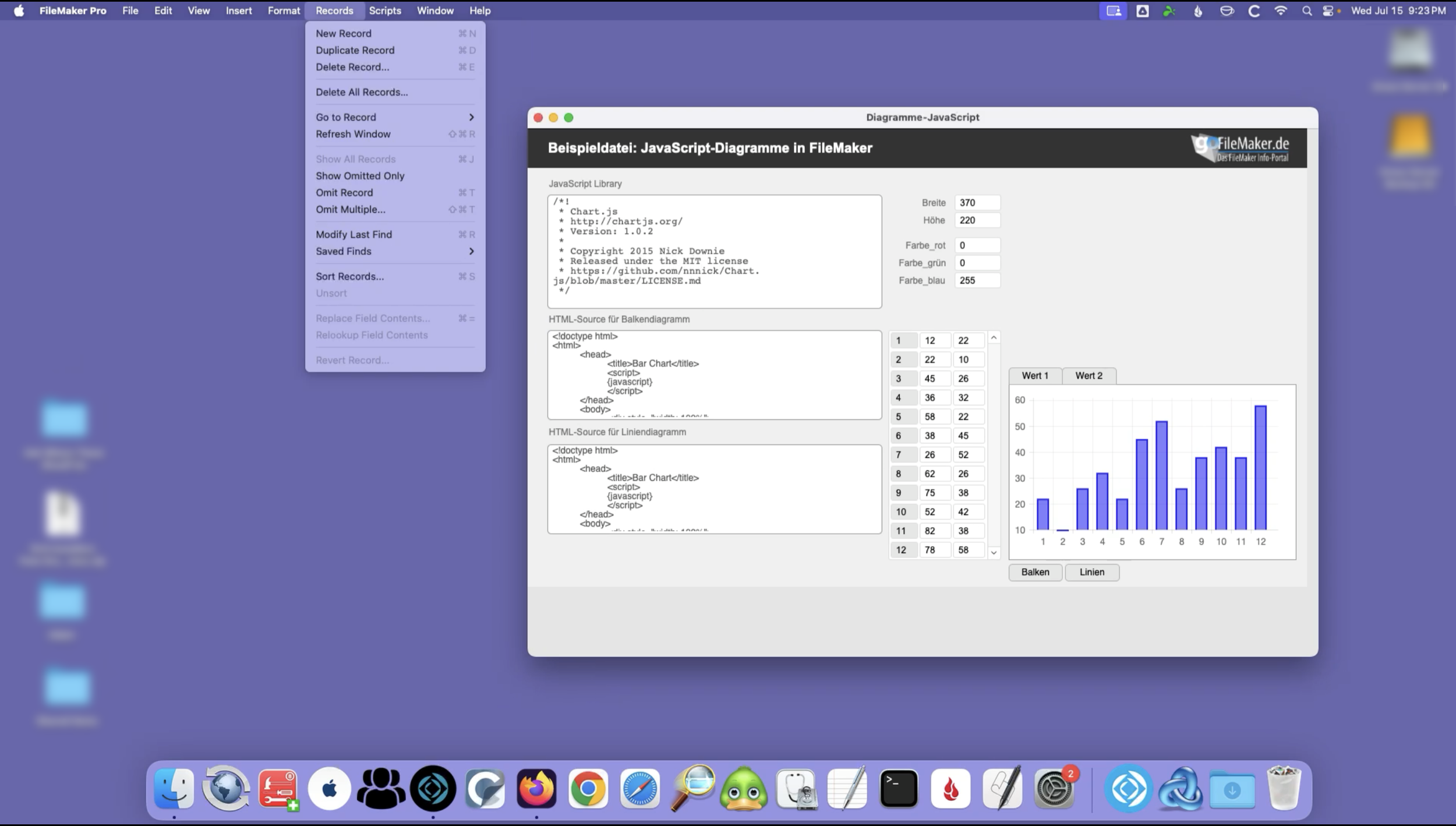
Screen Shot 11 A screen shot that shows an example of record type functions in Filemaker within browse mode (user mode), along with a more modern solution template with examples of some of the types of resources available.
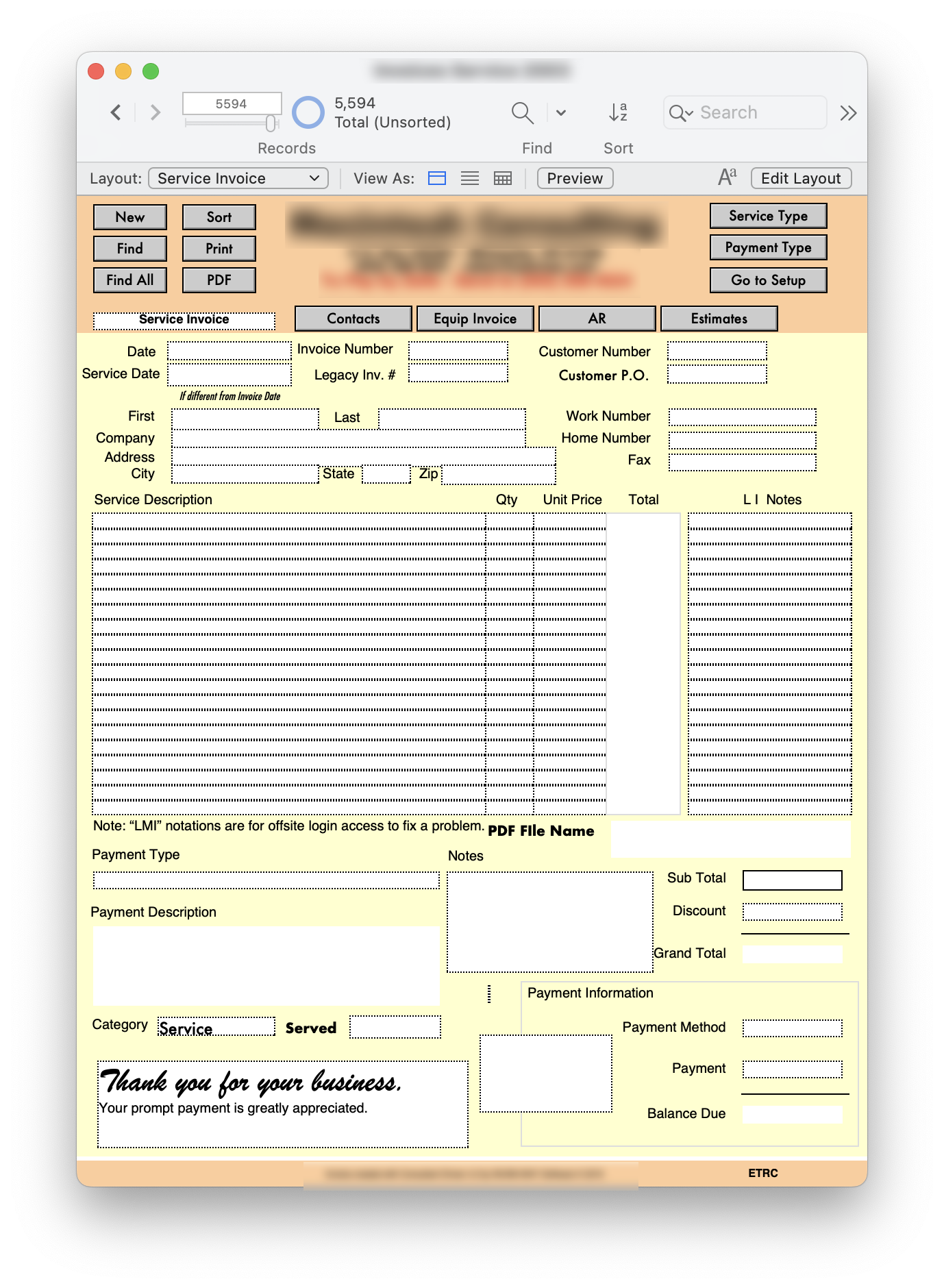
Screen Shot 12 A screen shot of my invoicing solution's main screen that I have been using for 30 years. It has been modified over the years, but it looks and works substantially the same as it did on a 13” monitor on my Quadra 605 in 1996. Like the platform itself, I have made sure my solution stays compatible with current standards and functions, while iterating with additional features.
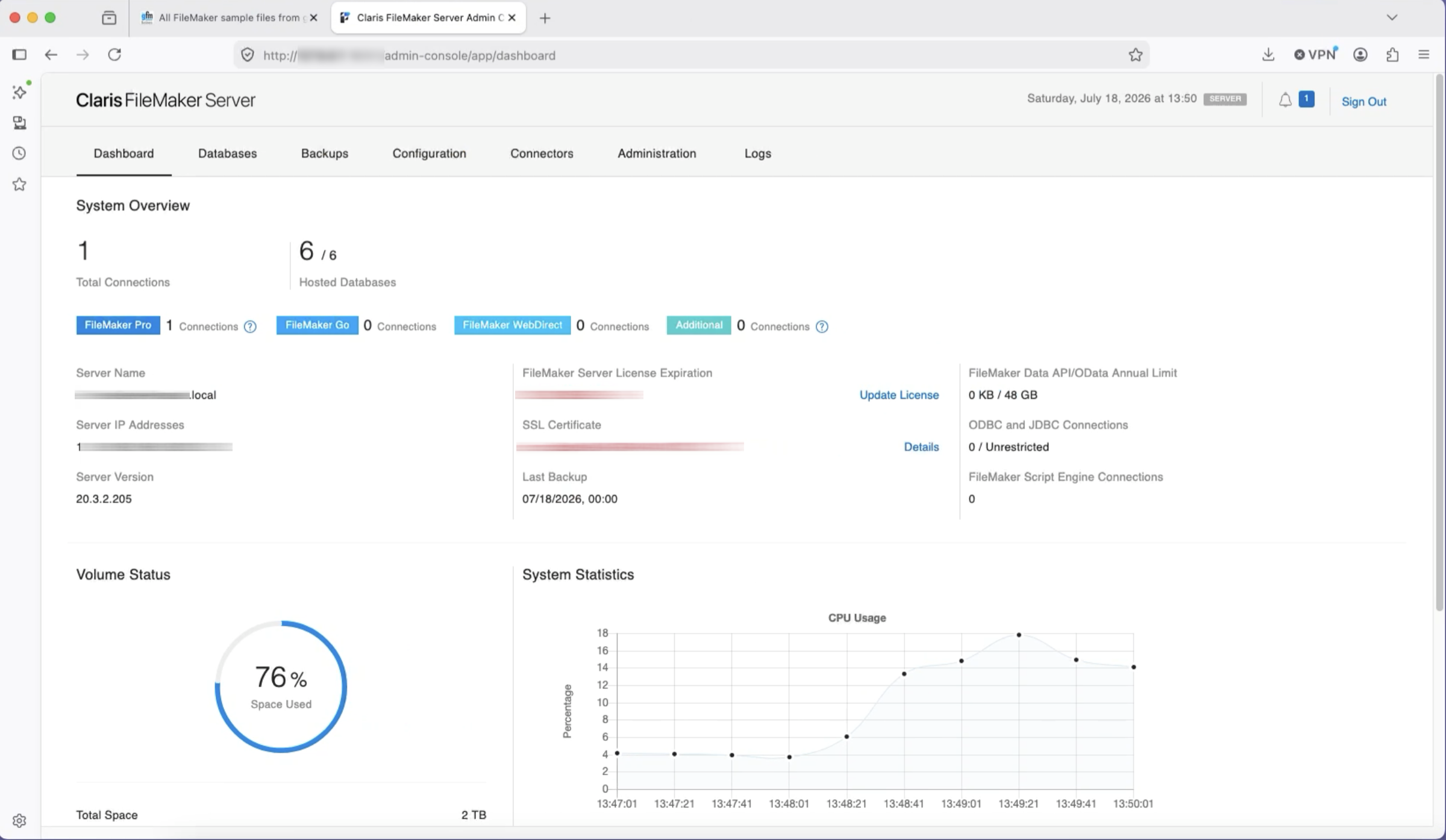
Screen Shot 13 Filemaker Server used to be a Mac OS app that ran as a gui app in the Finder. Then, in FileMaker 7 Pro, they moved to a more server oriented Darwin executable that used a web console in a browser as the front end. That transition was brutal, but necessary for modern functionality and greater speed. That said, I really miss the old Mac gui based app for its friendly simplicity. RIP FileMaker Server 5.5 (the last gui version). I would say that pretty much every version of the modern server version from 2012 onward, has been very stable and fuss free. The first screen shot shows the main console window with a dashboard.
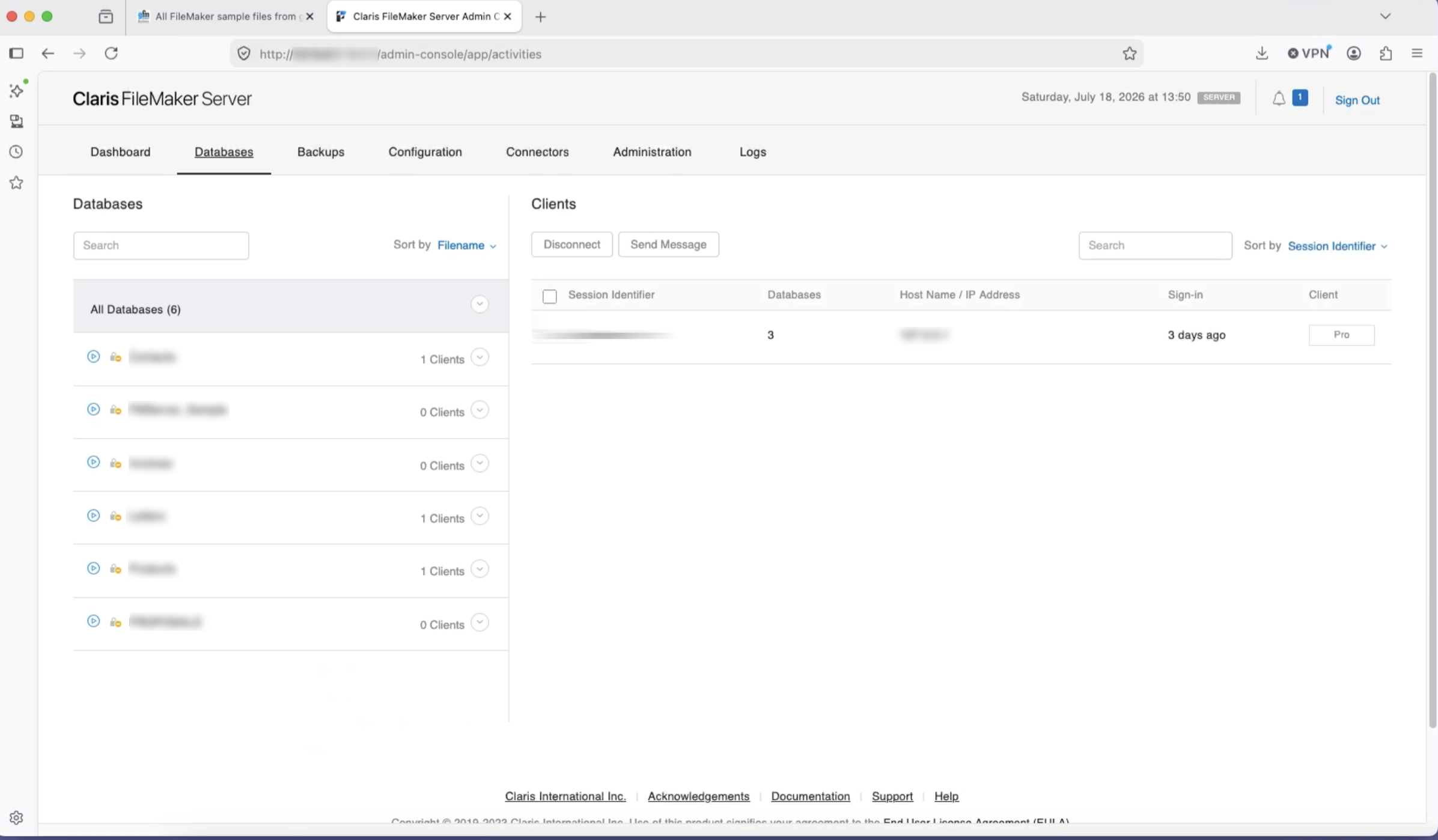
Screen Shot 14 This screen shot shows the view for managing the current databases online and ready to be connected to by clients on the network. With the modern platform, I have never seen ANY performance issues, and clients seem happy with the results.
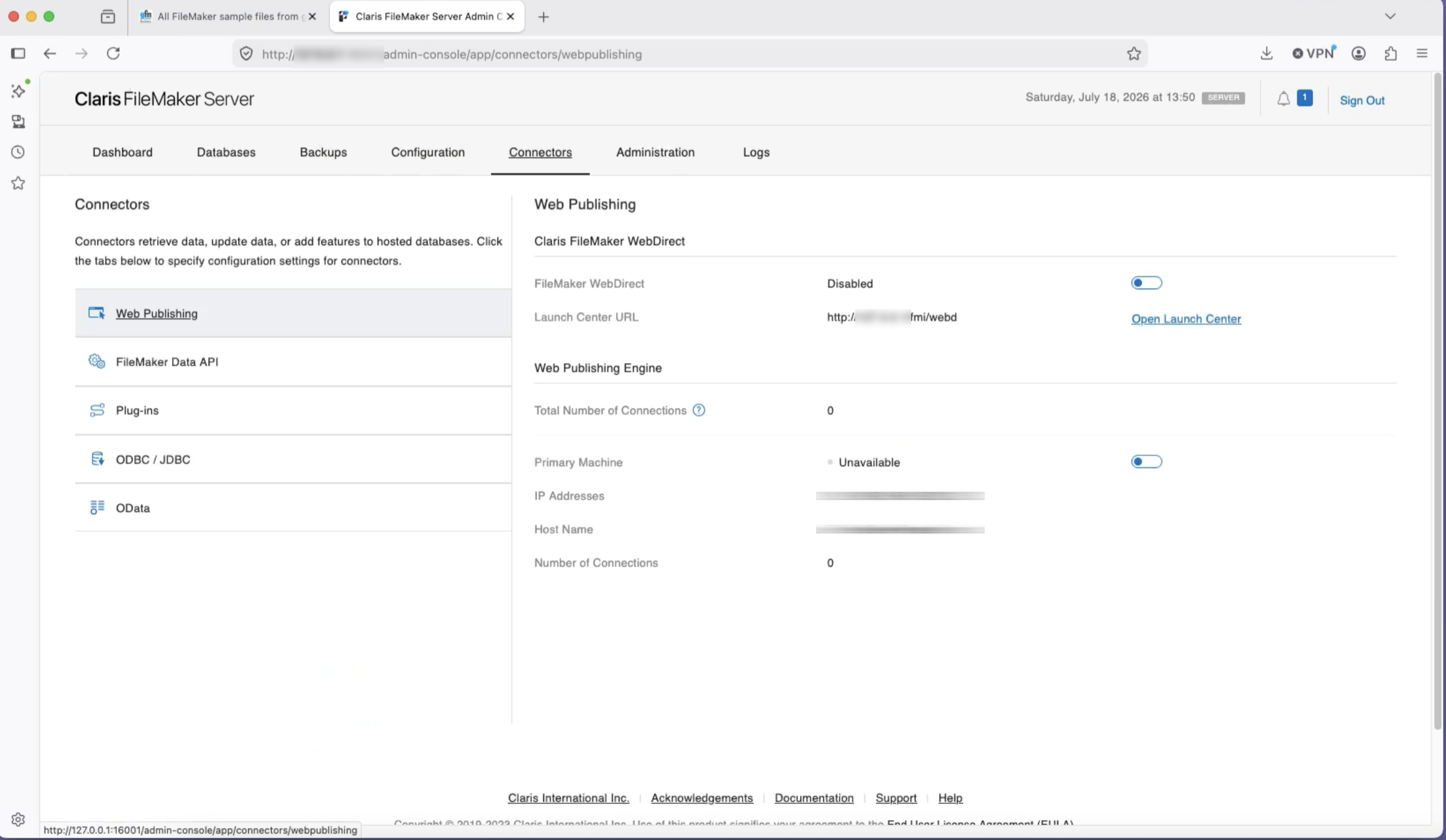
Screen Shot 15 The last screen shot shows the “connectors,” or plug-in technologies that interface with modern FileMaker. This includes a variety of industry standards and some additional third-party plug-ins that offer specific connections to other services and platforms. FileMaker once was a pretty impregnable island when it came to data sharing, but in modern times, it is a very good citizen within the interconnected world of data sharing.
I hope this all helps to explain a brief overview of FileMaker's history, basic function, and its place in the modern landscape. Thanks for highlighting a fond favorite technology of my youth that is still a part of my life today. I am so grateful for what FileMaker was able to do for my business and those of my customers, and yet I am also deeply grateful that Steve Jobs deemed it worthy of continuing development when Apple was at its lowest. It would have been a prime opportunity to get rid of what some, at the time, perceived to be dead-weight. I think it was the right decision to continue to invest in a tool that was instrumental in helping the nascent Mac business community solve business needs. That allowed the community to hold on long enough to emerge into the modern era.
Now we find ourselves at another turning point with a change in Apple leadership and the advent of the AI hustle and bustle. I hope that John Ternus gives FileMaker the same opportunity Steve Jobs did to allow the software platform to hopefully find its niche in a vibe coded world, more than 43 years after its first introduction.
©2026 Adam Wunn - a Mac based IT consultant, with more than 35 years of experience, supporting a variety of small businesses focused on Apple platforms.